In part 4 of UCS Director I am going to cover the automation features, more specifically workflows. I will also walk you through the process of creating a workflow that automates creating a new VLAN. I will apologize now for the length of this post but most of that is from all of the screen shots I provided. I recommend you click on the screen shots to view them in more detail in a new browser window.
I guess we should start by defining what a a workflow is in the context of UCS Director. A workflow is an organized set of tasks that can be executed to automate simple or complex IT process. This could be something as simple as provisioning a VM to provisioning a new UCS blade.
With UCS Director it is possible to move all of your internal infrastructure administration and provisioning into workflows. By doing this you can achieve better operational and configuration consistency. Another big advantage is that all tasks executed by a workflow are logged in detail and can be rolled back at any time. For example lets say I used a workflow to provision new VMFS storage for vSphere but now I don’t need that data store any more. With UCS Director I don’t have to create a de-provisioning workflow, I can go to the Service Request for when that data store was first provisioned and roll it back.
Another optional task you can easily add to workflows is the Admin Approval task that fires off an email to the user or users specified when the workflow is executed. This could essentially act as your change control approval process where each manager must approve before the tasks in the workflow are executed. The approver also has the option to add comments or reject the workflow with comments on why.
What I like about the automation capabilities of UCS-D is that you don’t have to be a developer or know any scripting to create workflows for automating infrastructure processes. Now if you want and have the development background you can create custom tasks in UCS-D to do almost anything you can dream up.
To access the workflows in UCS Director go to the Policies, Orchestration menu. Workflows are organized into folders and sub-folders, in the below screen shot the workflow folders, Default, NetApp UseCases and System are built-in. The other folders are ones that I have created.
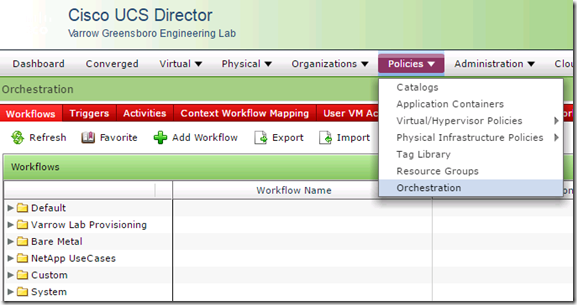
UCS Director 5.1 comes with over 1100 built in tasks for managing and provisioning every aspect of the infrastructure elements that can be managed by UCS-D. There are also a lot of pre-built workflows that come with UCS Director, simple tasks like VM provisioning from templates or new VMs from ISO are some of the examples of the built-in workflows.
Here is a screen shot of just some of the built-in workflows that come with UCS Director.

Workflows can be exported and imported and shared with others or via this Cisco Communities site – Cisco Developed UCS Integrations
Now that we have went over what a workflow is lets go through the process of creating a workflow. To do this UCS Director provides a very intuitive tool called the Workflow Designer.
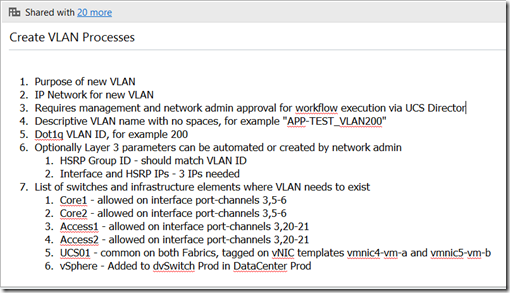
Before you jump right in and start creating workflows I highly recommend documenting the processes/tasks you want to automate. If you don’t already have these documented somewhere I would go through test runs of each process you want to automate documenting as you go through it. It is very important that the processes you want to automate are documented so that when you are creating the workflow you don’t miss something. Documenting the processes is also critical for change control.
Here is an example of the processes required to create a new VLAN
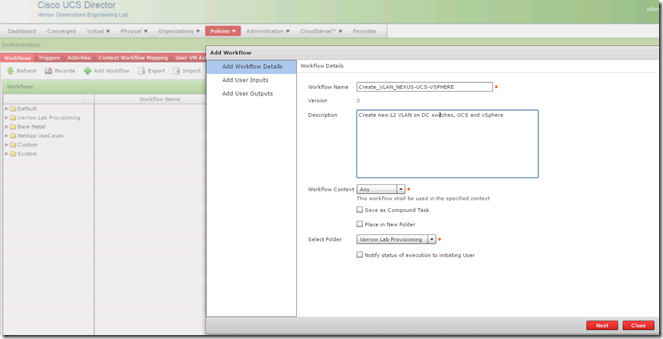
Before we can edit a workflow with the Workflow Designer we first need to create an empty workflow. To do this click the Add Workflow link on the Workflows tab, this brings up the Add Workflow wizard. The first page of the wizard prompts for basic information like the name, description, folder placement and options like sending the executing user status on workflow execution progress.
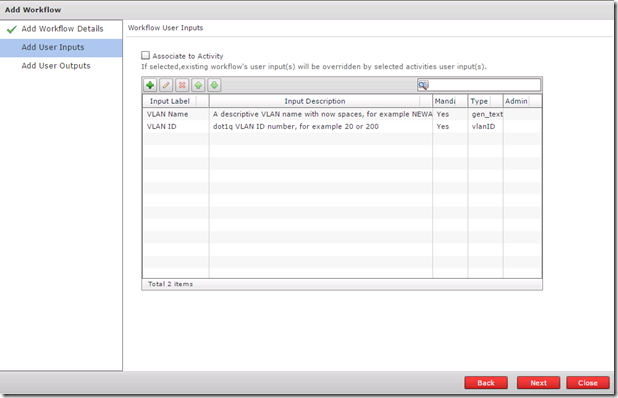
On the next page, Add User Inputs, I have added two user inputs. These are the inputs required from the user that executes the workflow, in this example the two inputs are VLAN Name and VLAN ID. The type of value for the name is generic text and vlanID for the VLAN ID input type.
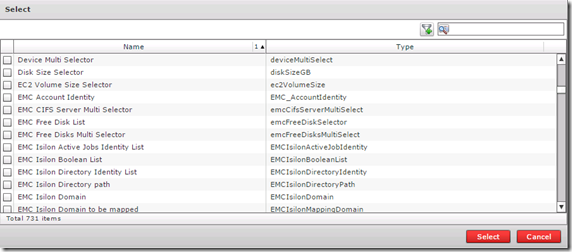
There are lots of input types for just about anything you can imagine, here is an example of the input types window, notice how small the slider bar is, that should give you an idea of the amount of input types.
The next page in the Add Workflow wizard is for optional User Outputs.
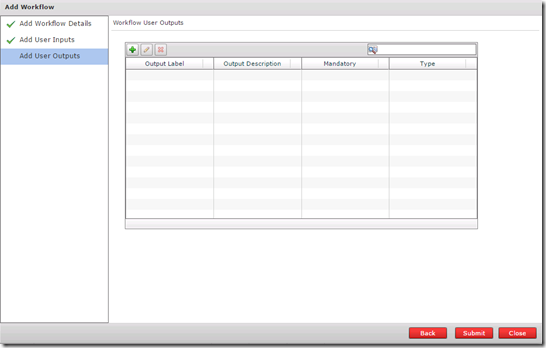
Both Inputs and Outputs can be either user provided or admin provided and then used as variables in tasks of a workflow.
Now that our workflow is created we can edit it using the Workflow Designer, this can be accessed by either right-clicking the workflow or selecting the workflow and then clicking the workflow designer link on the tool bar.
If you right-click a workflow you also have the option to Clone, Execute, Export, create a new version or display.

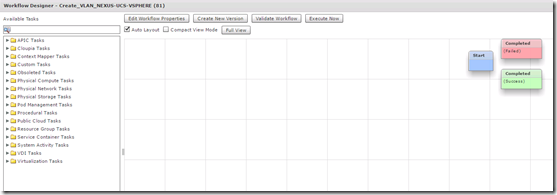
The workflow designer window looks like this, all available tasks are on the left and the tasks in your workflow are on the right. The pre-configured tasks in all workflows include Start, Completed (Success) and Completed (Failed)
The first task we need to add to our workflow is a user approval task, this task is located under Cloupia Tasks, General Tasks or you can type approval in the filer box and it will show you all tasks with the word approval in the name. To add the user approval task select it and then drag it over the the right, when you release it a wizard will open that walks you through configuring the task. The first thing to configure is the name, make your task names are as descriptive as possible and provide a good description. The description is what is visible in the workflow execution service request details.
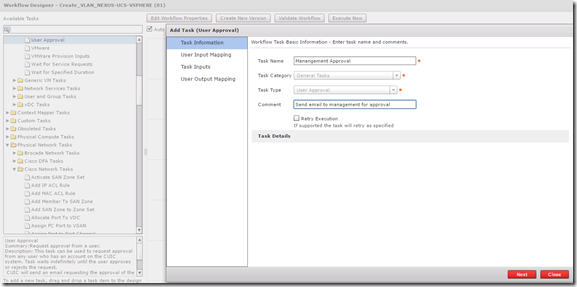
The User Approval task is very basic and requires very little input aside from the user or users you want to send approval to. I am also going to add a second User Approval task for the network admin.

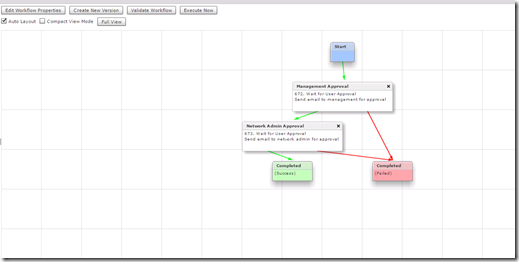
Once both User Approval tasks are added I can logically organize them by clicking at the bottom of one task and linking it to the next task. Every task should have both an On Success and On Failure link.
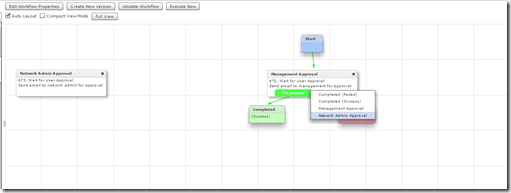
It is best that you set the On Failure of each task linked to Completed (Failed) task
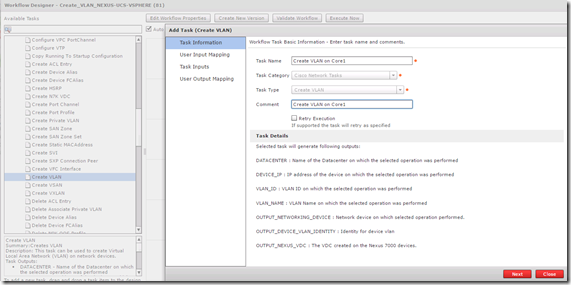
The next task will be creating the new VLAN on Core switch 1
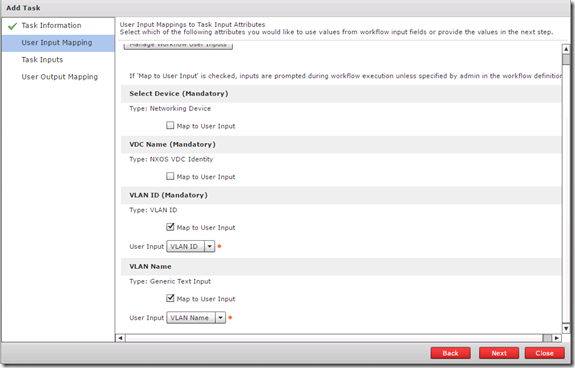
The User Input Mapping page is where the two user inputs come into play, I will select them from the VLAN ID and VLAN Name drop downs.
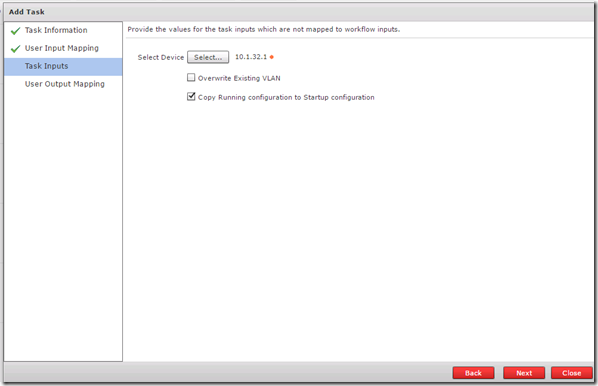
On the Task Inputs page I will admin input the device by selecting it from a list of network switches that were previously added as an infrastructure element.
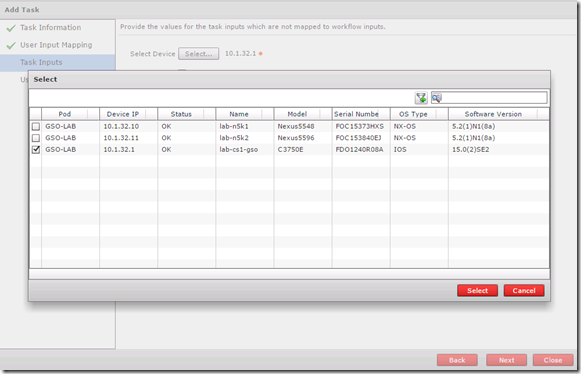
I can also select to save the device configuration or I can do that on a later task
For each of the network switches in the DC I will have a Create VLAN task and a corresponding allow VLAN on trunk task.
The finished workflow has 10 individual tasks, here is a screen shot of the full workflow
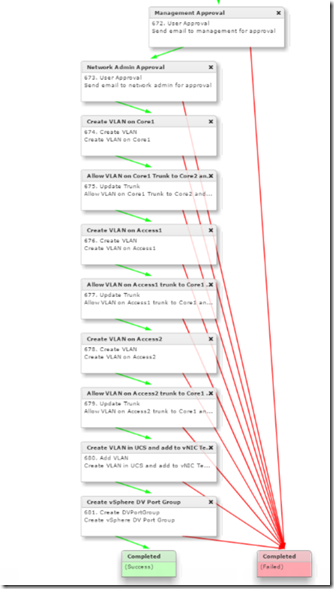
Now lets test it out, Execute the workflow and you are presented with the two user inputs.

After I click Submit the service request details window opens where I can monitor the progress and view the detailed log. Until the two approvals are accepted the workflow will pause.
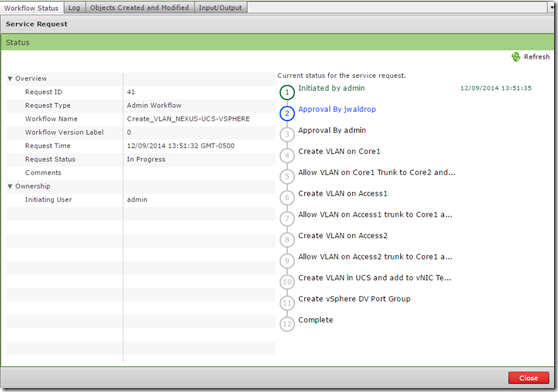
If I login as the jwaldrop user and go to Approvals I can see the pending request
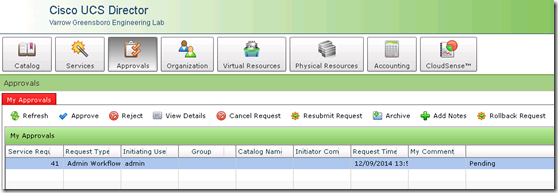
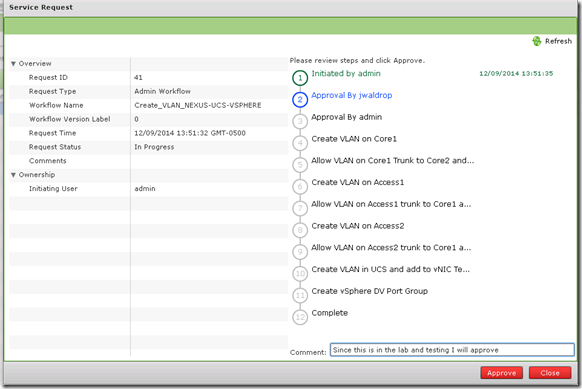
When I click Approve the service request details open where I can add a comment and then click Approve
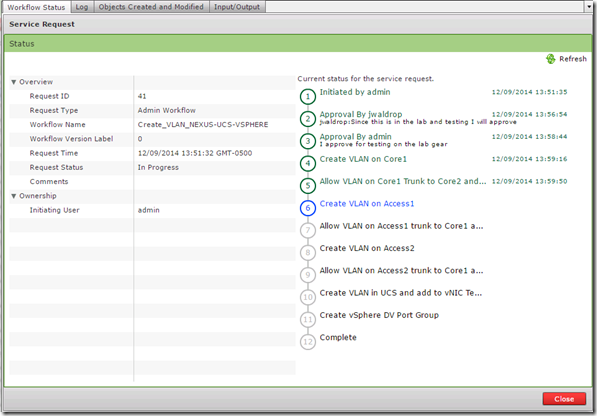
Now when I go back to the service request details I will see the approval and comment

After both users have approved the workflow it continues with creating the VLAN
Once the workflow is complete we can check to make sure the new VLAN exists.
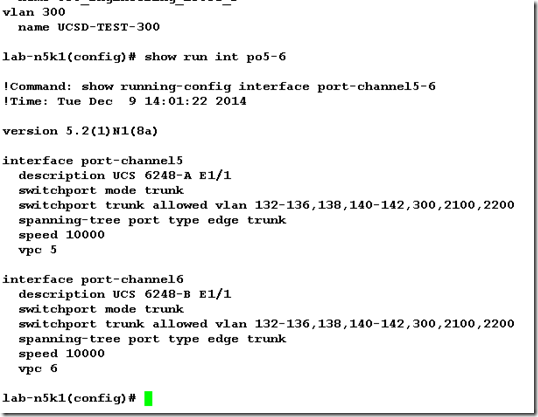
Here is one of the Nexus 5548 switches with the new VLAN and the updated trunks where the vlan is allowed.
In the accounting log I can see where the ucsd-admin created VLAN 300 and added it to the trunks

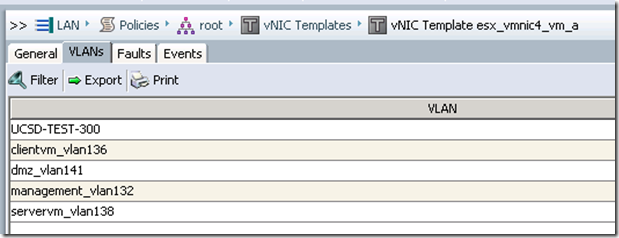
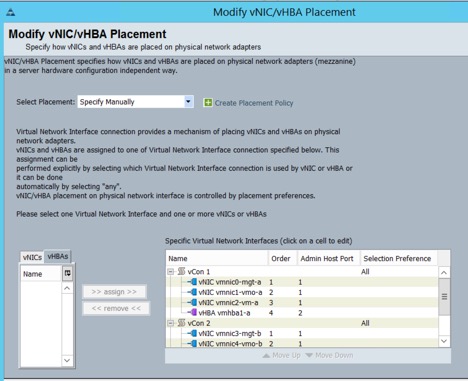
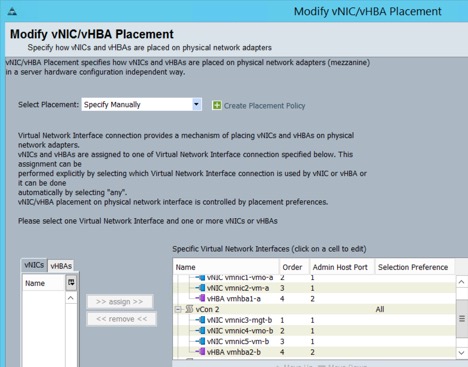
In UCS I can see that the vlan was created and added to the vNIC templates
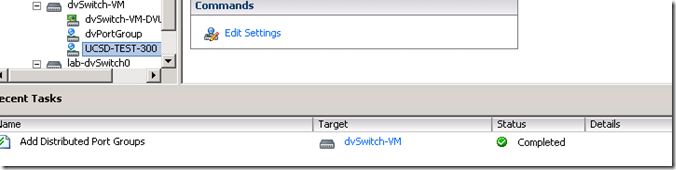
And in vSphere I can see the Add Distributed Port Group task and the new dvPortGroup
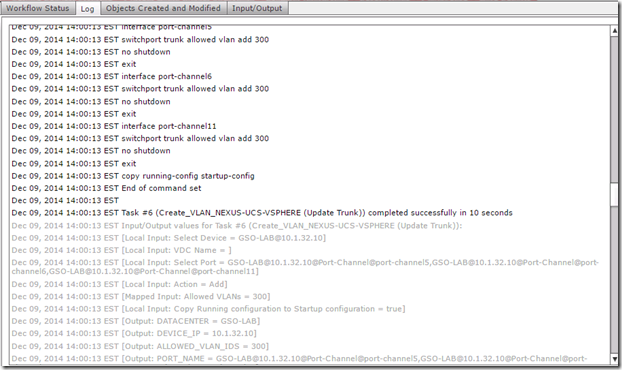
Take a look at the detailed logging that UCS Director provides, the log tab shows every single change made in detail down to the actual commands executed
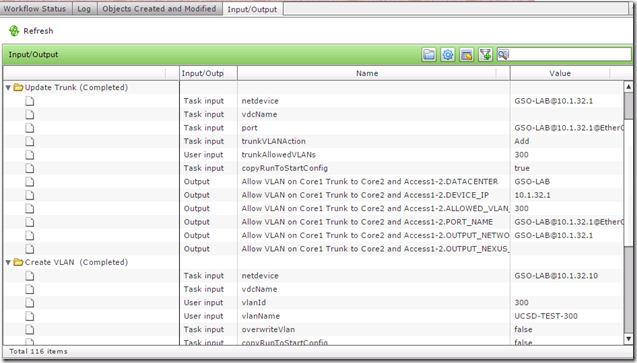
The Input/Output tab also shows a lot of useful info, if for some reason any task failed I could use this info for troubleshooting
Now lets look at the roll back capabilities, lets assume this new VLAN that was created is no longer needed or if you realized that this is the incorrect VLAN ID and you want to undo everything the workflow just did. You are probably thinking that we need to create another workflow to Delete VLAN but since the VLAN was created with a UCS-D workflow we can use the powerful Rollback capabilities.
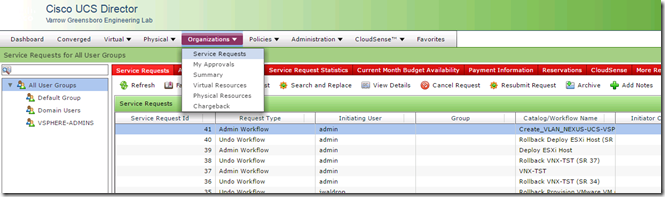
Under the Organizations, Service Requests menu and I can see all of the workflow service requests.
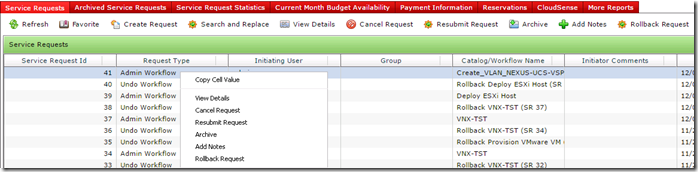
If I right-click on the service request that created VLAN 300 I can choose Rollback Request
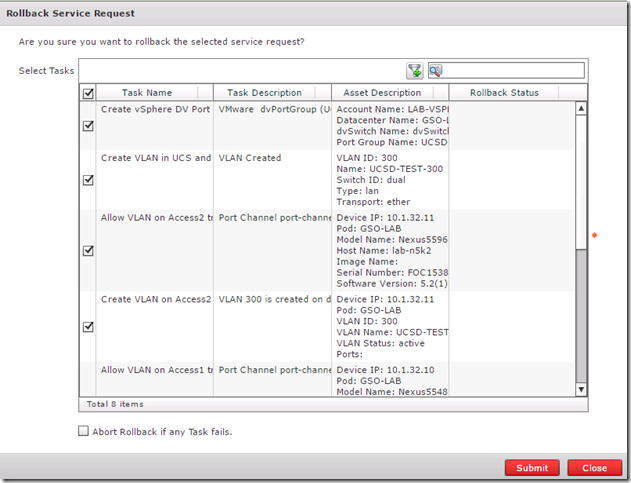
This opens a window where I can choose to rollback all tasks or just select tasks.
Just like the service request to create the VLAN the rollback request also requires admin approval and has the same detailed logging
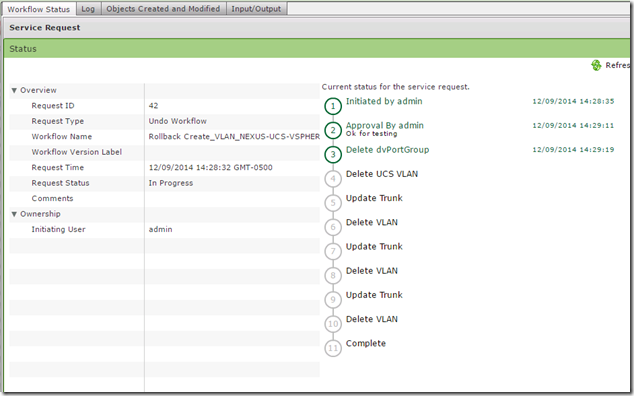
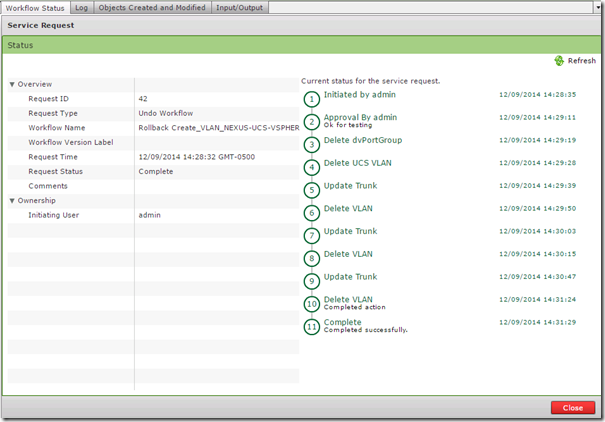
And here is the completed rollback request
This was just one example of the types of IT infrastructure processes that can be automated with UCS Director. Other workflows that I have created are:
- Zone a new host on the SAN Fabric and present LUNs from an EMC VNX
- Create new VMFS LUN on VNX, present it to all ESXi hosts and format the new LUN with VMFS
- Create a new VLAN like the one above but this one includes all of the Nexus 1000v tasks
- Bare metal provisioning of a new UCS blade, this includes all of the UCS, zoning, SAN Provisioning, ESXi install and vCenter tasks
Here is a screen shot of the workflow to provision a new UCS, ESXi host from bare metal all the way into vCenter.




 Jeremy Waldrop's Blog
You must be logged in to post a comment.